Photo organization
Keep images grouped within a project or report rather than treating each photo as a separate file.
 Start a project ↗
A desktop tool designed to organize project photos, add annotations and details, and prepare clearer documentation reports. The public case study focuses on capabilities and workflow, without naming the organization or exposing client-identifying details.
Back to selected work ↗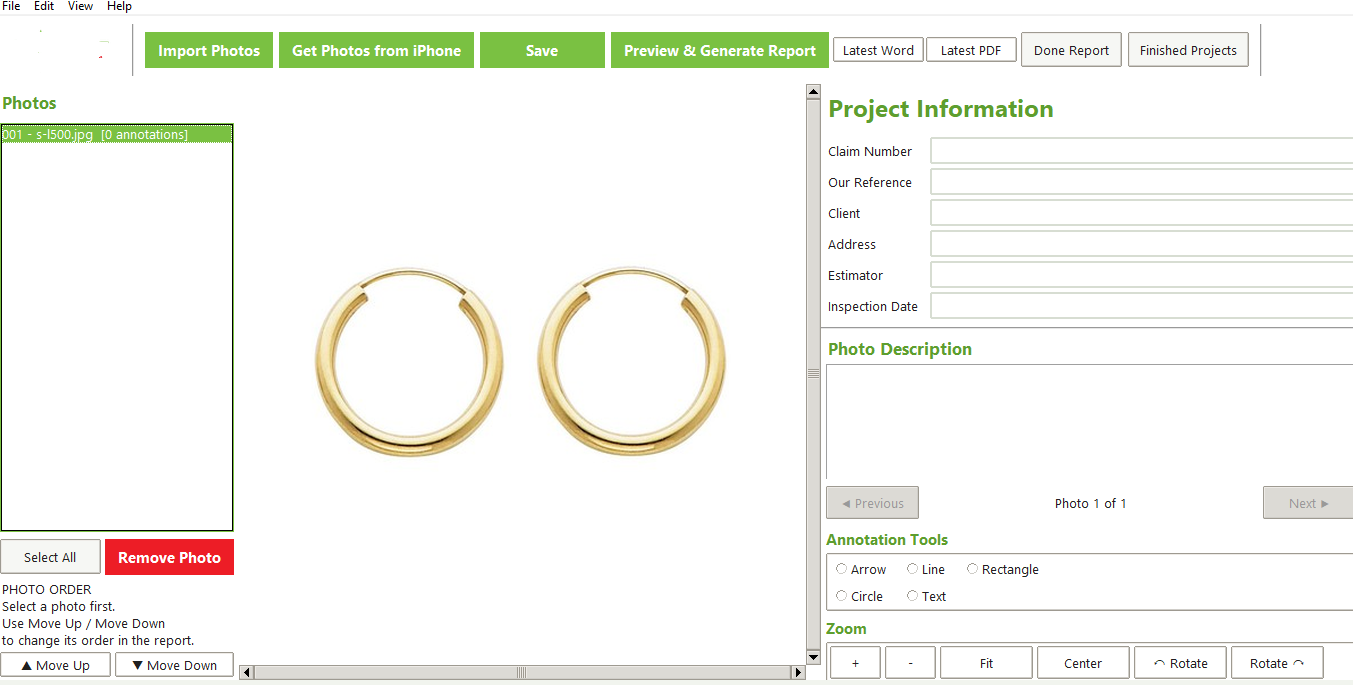
When project or inspection photos need context, teams can spend extra time sorting images, adding notes, and assembling reports. This tool brings those steps into one workflow so visual evidence can be organized and presented more consistently.
Keep images grouped within a project or report rather than treating each photo as a separate file.
Add visual marks or notes to help explain the relevant detail shown in a photo.
Associate documentation with project information to make the output easier to understand.
Review the arrangement of photos and report content before exporting the document.
Prepare shareable report files, including supported Word or PDF output formats.
Support project-level organization and management of documentation materials.
This description is based on the supplied application files and interface previews. Exact features can depend on the installed build and configuration. No client name, branding, or confidential project information is intentionally presented here.
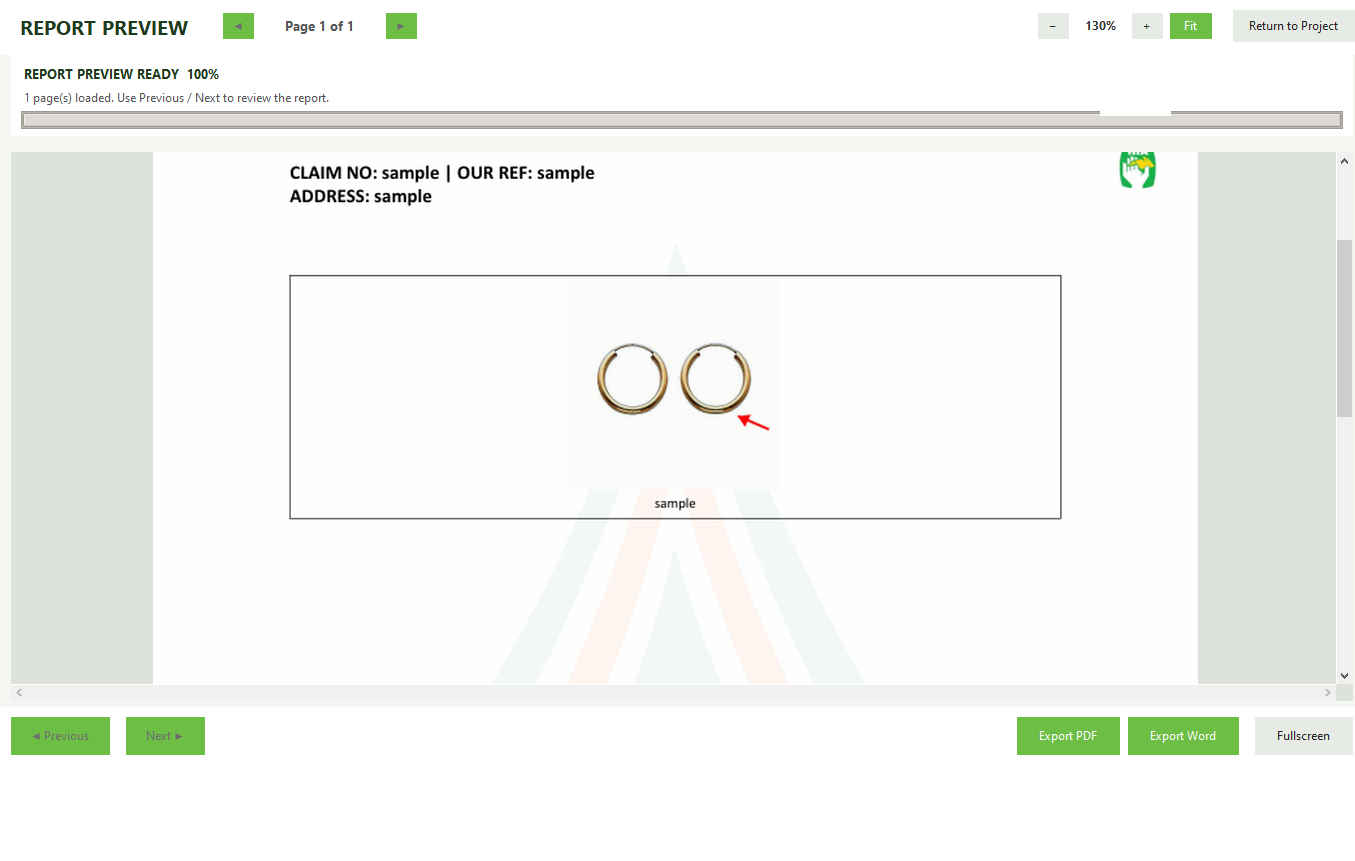
Screenshots are included as functional references. Before publishing, review them to ensure no personal data, customer information, organization name, or other identifying details remain visible.
HIMO helps turn a specific business process into a practical digital tool, with scope and cost agreed before development.