Central PC monitoring
View connected customer machines and key status information from a central dashboard.
 Start a project ↗
A local-network management system designed to help internet café operators monitor connected PCs, manage customer sessions, and handle everyday time-based operations from a central workstation.
Back to selected work ↗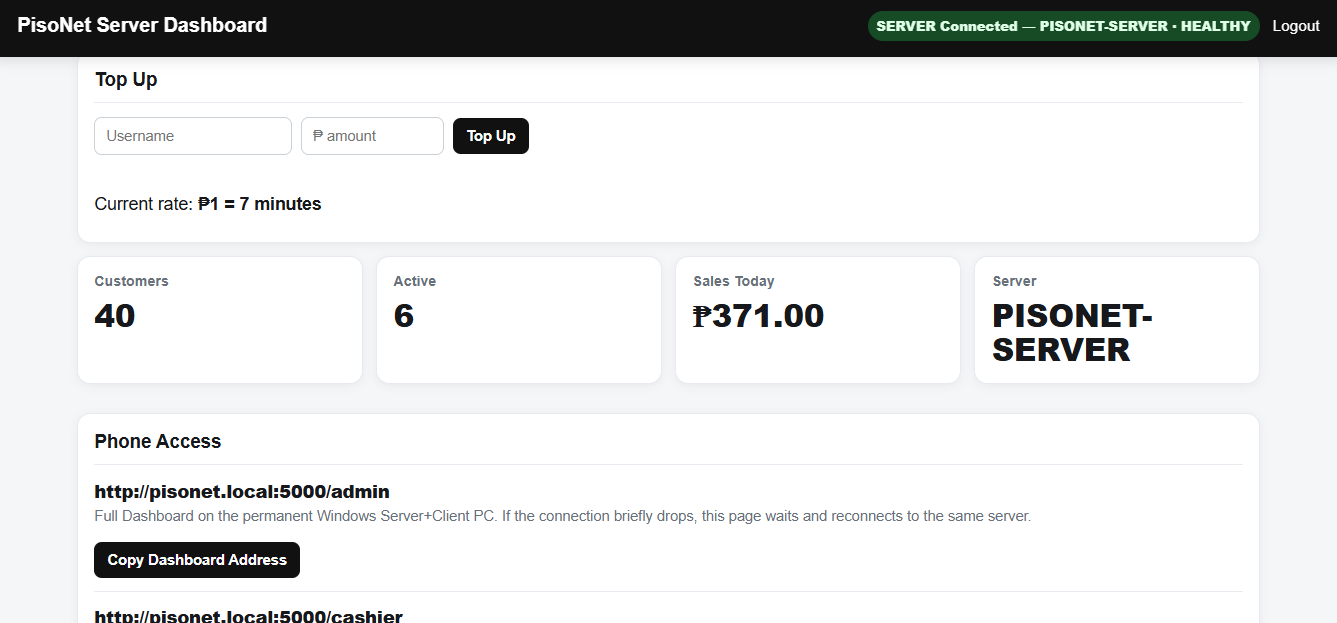
Managing several customer PCs can involve checking individual machines, tracking remaining time, applying top-ups, and keeping the server and kiosk experience aligned. PisoNet brings key monitoring and session-management functions together in a system designed for a local network.
View connected customer machines and key status information from a central dashboard.
Give customers a clear view of their active session and remaining time.
Support time-addition workflows so operators can extend a customer session when appropriate.
Coordinate the host/server role with connected customer PCs across a local network.
Support routine tasks such as customer sessions, operating hours, and vouchers where configured.
Source materials describe watchdog and recovery mechanisms intended to help keep kiosk and server processes running.
Feature descriptions are based on supplied promotional material and source files. Availability may vary by installed version and configuration; this page does not claim independent security certification or guaranteed uptime.
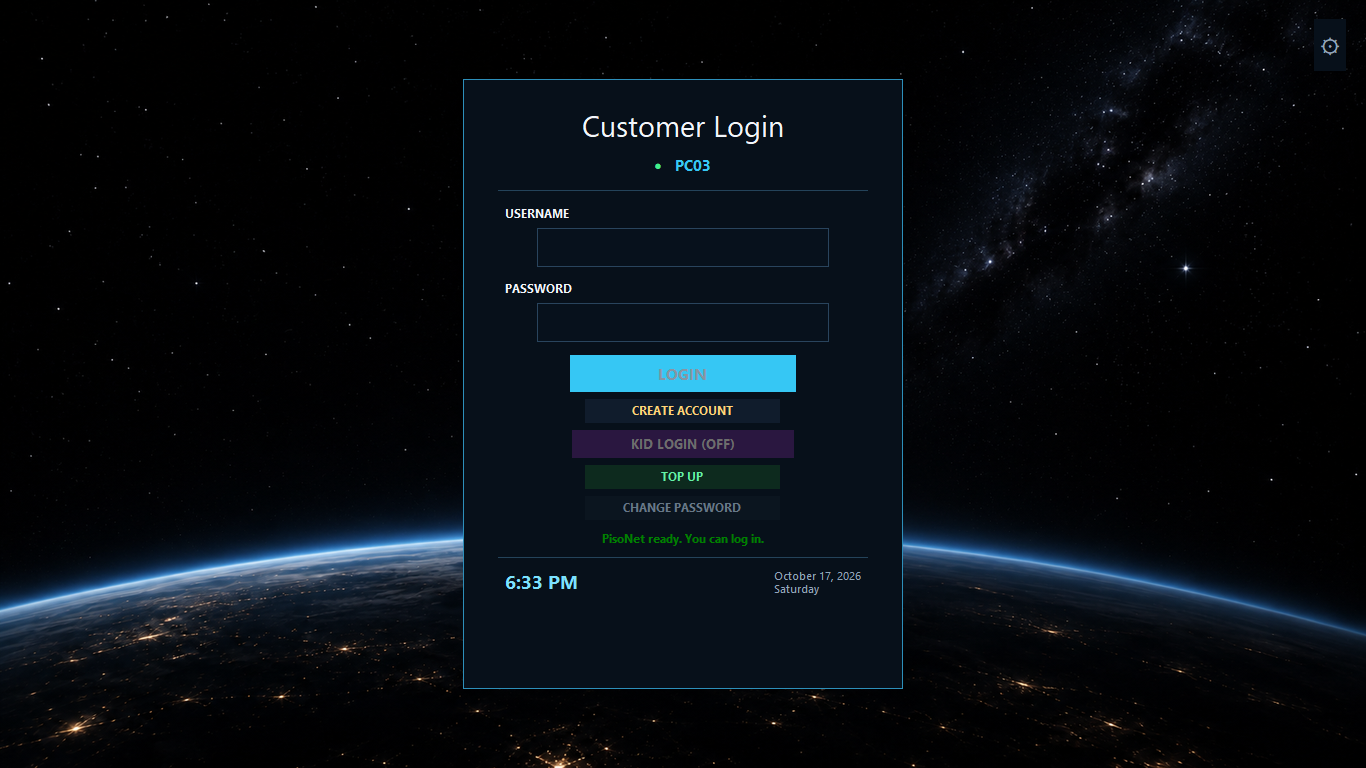
This case study focuses on system functions and avoids unrelated client names, logos, and identifying details.
The supplied promotional video demonstrates the product concept, session timer, dashboard, top-up workflow, and multi-PC LAN arrangement.
Promotional walkthrough supplied for this portfolio. Review the footage for visible identifying details before public launch.
Tell HIMO what you need to manage. We’ll help clarify the requirements and explore a practical solution for your budget.